MIDbot Learn1.0
Publisher Description
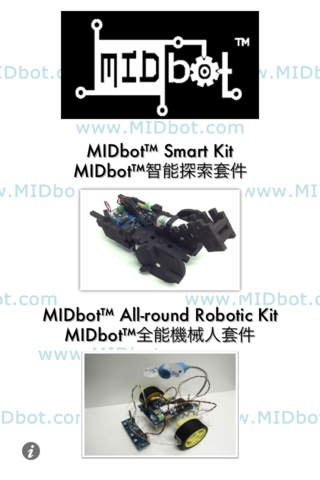
MIDbot Learn is a simple app aiming for controlling MIDbot Smart Kit and MIDbot All-round Robotic Kit.
MIDbot Smart Kit and MIDbot All-round Robotic Kit are designed for primary or secondary students who are eager to design Robots or to learn programming. They can use the kits to create and design their own robots. Also, they can learn more knowledge about hardware and software engineering.
To use the kits with the app, simply connect any iOS device with the kit via Bluetooth. Student can learn the basic function of the kits from the app. For example, controlling the kits movement, changing the color of the light, controlling the speed of the motors. They can also record a set of motions and play the kits for fun.
For further information, please visit http://www.midbot.com.
Requires iOS 5.0 or later. Compatible with iPhone, iPad, and iPod touch.
About MIDbot Learn
The company that develops MIDbot Learn is Globalactive Technology Limited. The latest version released by its developer is 1.0.
To install MIDbot Learn on your iOS device, just click the green Continue To App button above to start the installation process. The app is listed on our website since 2012-11-19 and was downloaded 8 times. We have already checked if the download link is safe, however for your own protection we recommend that you scan the downloaded app with your antivirus. Your antivirus may detect the MIDbot Learn as malware if the download link is broken.
How to install MIDbot Learn on your iOS device:
- Click on the Continue To App button on our website. This will redirect you to the App Store.
- Once the MIDbot Learn is shown in the iTunes listing of your iOS device, you can start its download and installation. Tap on the GET button to the right of the app to start downloading it.
- If you are not logged-in the iOS appstore app, you'll be prompted for your your Apple ID and/or password.
- After MIDbot Learn is downloaded, you'll see an INSTALL button to the right. Tap on it to start the actual installation of the iOS app.
- Once installation is finished you can tap on the OPEN button to start it. Its icon will also be added to your device home screen.
